2027 Edition · prices researched November 2026 · free update when the 2027 chips land
HORDE OR ALLIANCE · WOW: FOREVER LAUNCHES NOVEMBER 4

Build your PC
for Azeroth.

WoW: Forever launches on November 4, and Midnight keeps raising the bar. Build a PC chosen for how World of Warcraft actually uses a computer, so busy cities, big raids and Hardcore runs stay as smooth as possible. 100 checked steps. No experience needed.

Explore the 100 steps

PC playgroundHover to take it apart. Click any part. Then try Aura.Drag sideways to turn it. Tap any part to see what it does.

Preparing your orbit
100Steps, each with a check
8Parts, each explained
$2KHeadline build
1Screwdriver needed

01 / A MACHINE FOR EVERY EXPANSION

Your desk.
Your realm.

A handful of components.
A place to raid, create and explore.
Something legendary, built by you.

Back to the real workbench ↓

02 / FOLLOW THE SIGNAL

Eight parts.
One extraordinary machine.

Hover, focus, or tap a component. See what it does, what it connects to, and why it matters for your first build.

Eight components. Approximate US budgets shown below; connections illustrate roles, not literal cable routes.

The eight main parts of your computerThe case encloses the system. Motherboard connects processor, memory, SSD and graphics. Power supply powers the system, and cooling removes processor heat. Lines illustrate different roles, not literal cable routes.01 / CASE$80–$120PROCESSOR$170–$250MEMORY$400–$600SSD$180–$450MOTHERBOARD$140–$230GRAPHICS$570–$850POWER$90–$150COOLING$30–$60
Data pathsPowerHeat transfer

03 / FROM THE REAL WORKBENCH

A little curiosity.
A whole new world.

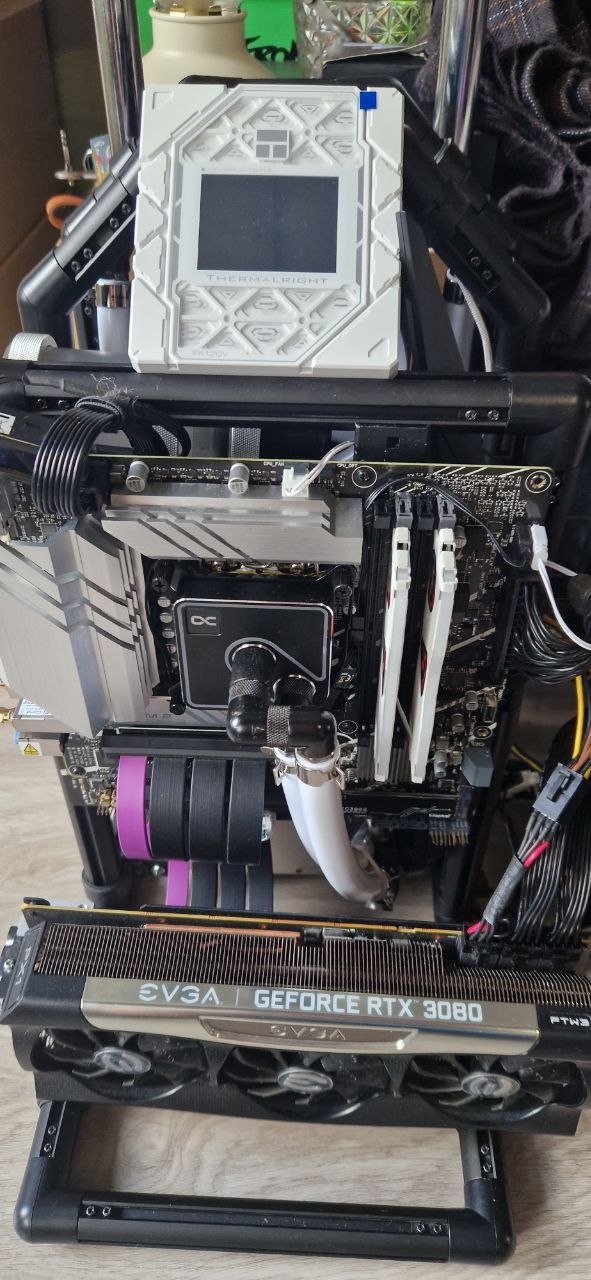
These are my machines. The parts, the experiments, the builds that became this guide. Your first one starts here.

REAL HARDWARE. ORIGINAL PHOTOS. BUILT BY JEV IVANOV. Showcase builds; not the guide’s exact $2,000 parts list.

A CONSTELLATION OF COMPONENTS

Different generations. The same curiosity.

Original photographs from the workbench. Processors, memory, and the details that make a machine.

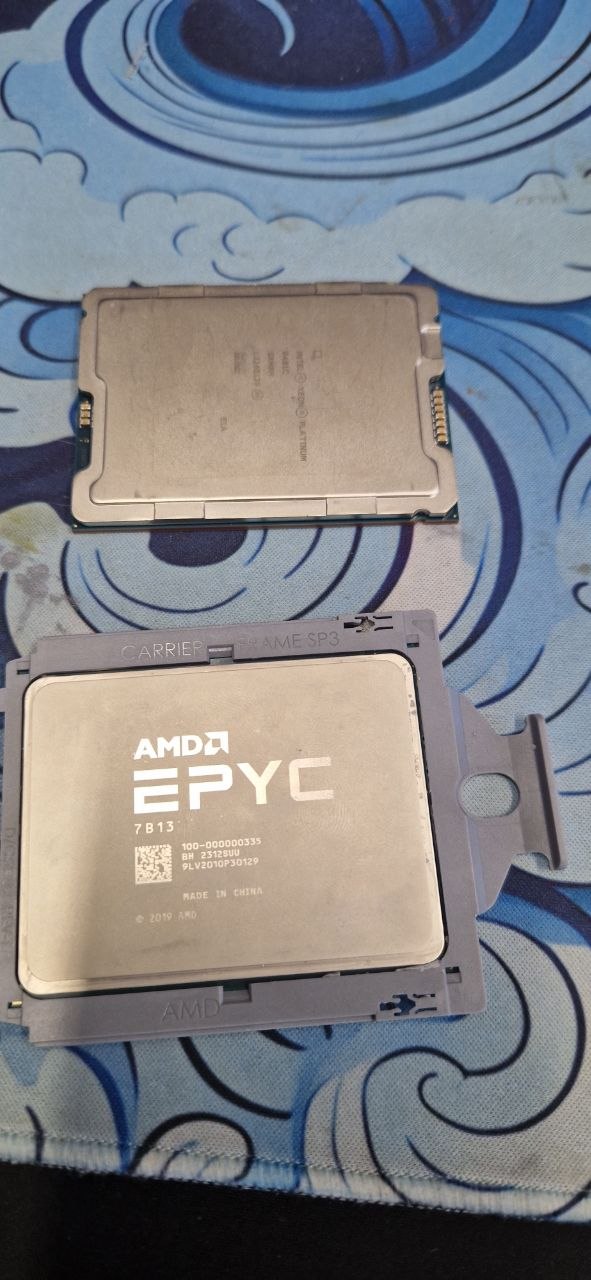
An AMD EPYC server processor in its carrier, with a second server processor above it
ProcessorsAn AMD EPYC server chip: the brain of a data-centre machine.
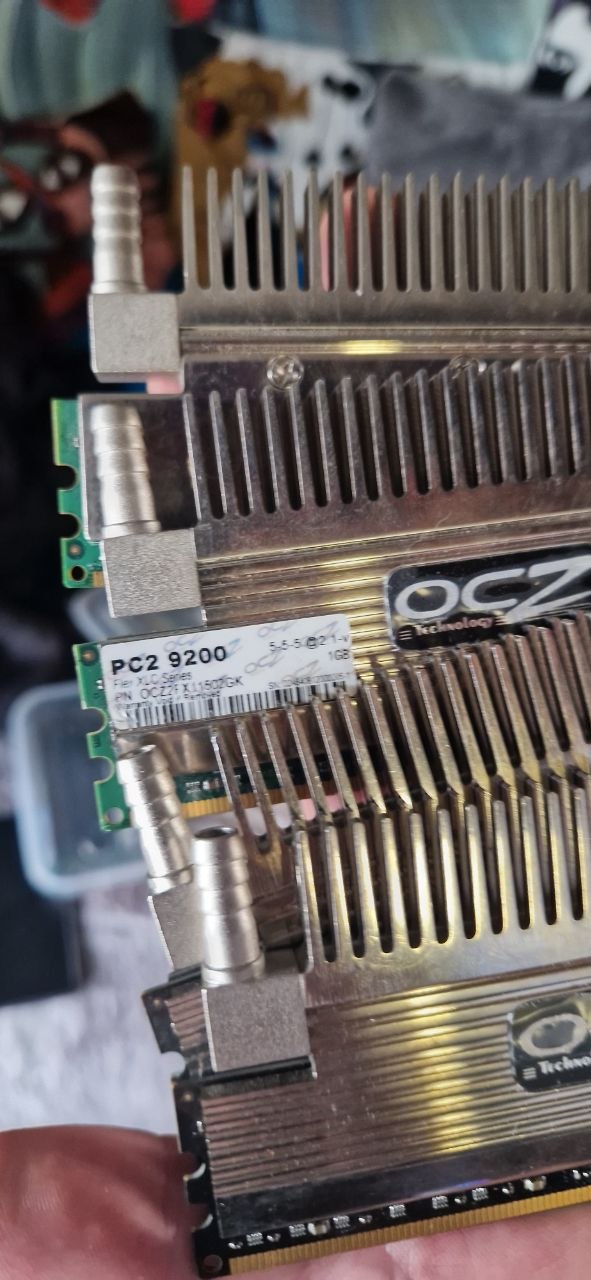
Older OCZ PC2-9200 DDR2 memory sticks with heat-pipe coolers
Older memoryDDR2 sticks with heat-pipe coolers, from the late 2000s.
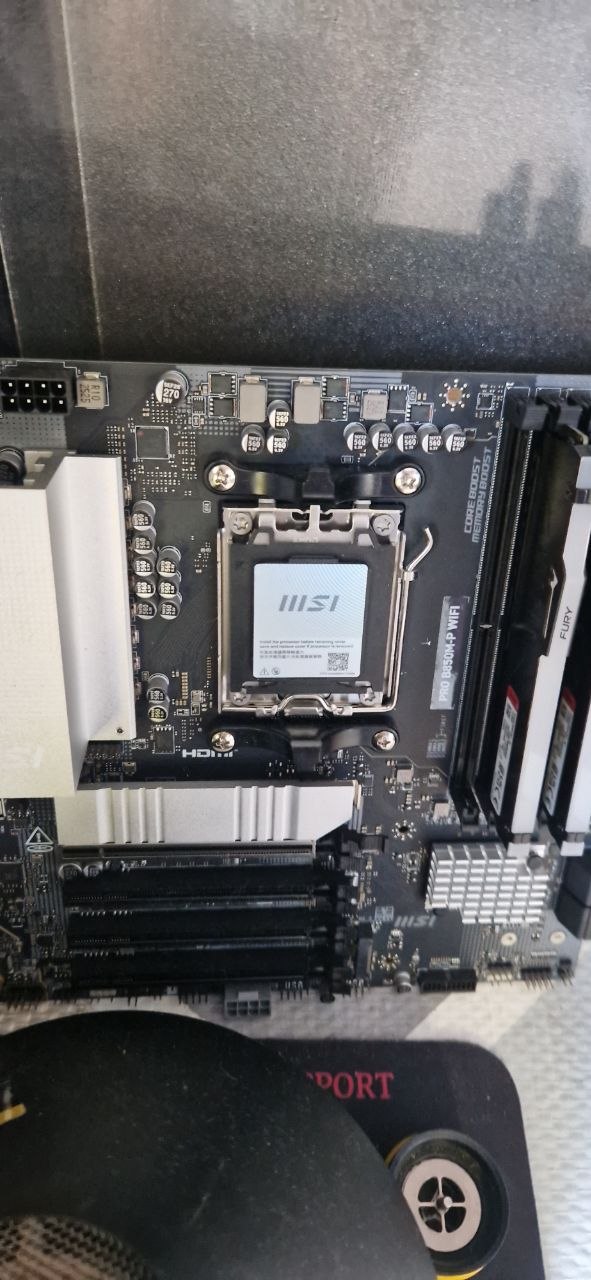
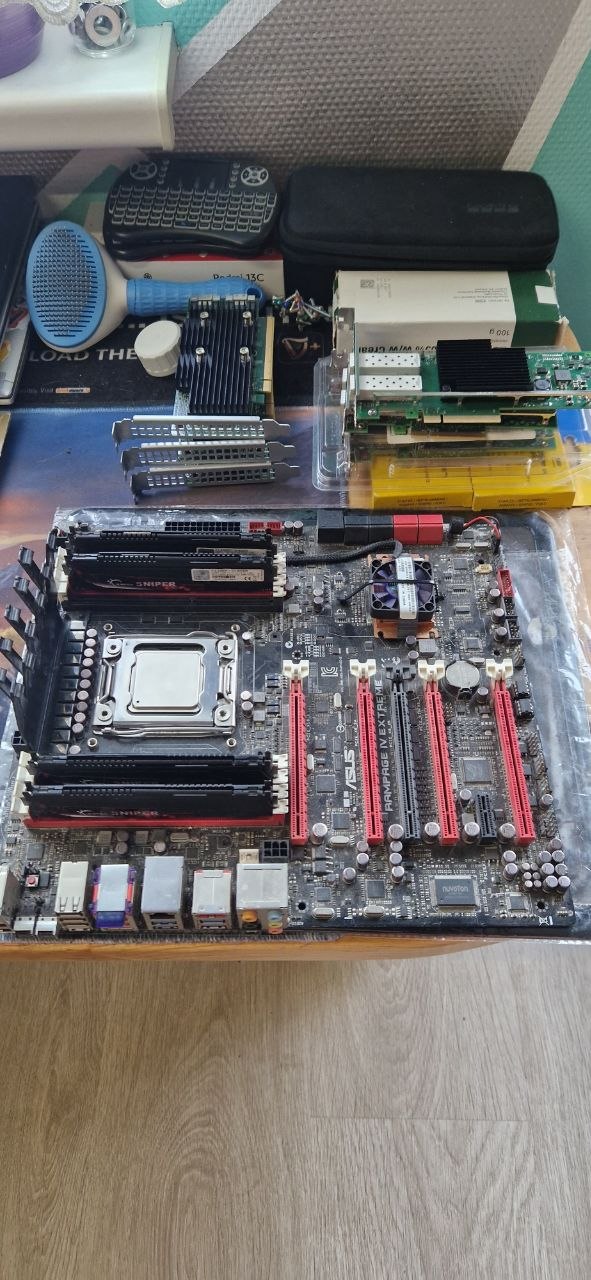
A black and red motherboard with its processor socket and memory slots
MotherboardsThe board everything plugs into: socket, memory slots, graphics slot.
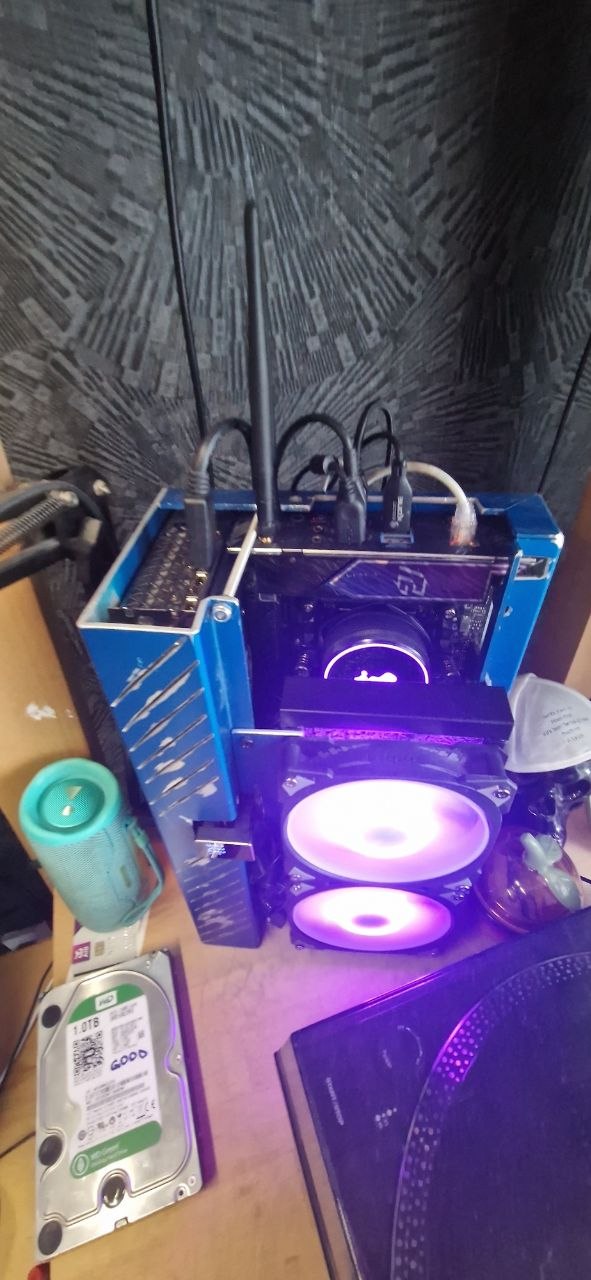
A processor cooler with fans glowing purple inside an open test rig
CoolingFans and coolers that keep a fast machine calm and quiet.
Jev at his university graduation, holding his diploma

Jev Ivanov · Graduation day
From computer science to building real machines.

Who made this

“Four years of computer science. Not one lecture on how to build the machine.”

A computer science degree teaches you how a computer thinks: logic gates, memory, operating systems, networks. It never hands you a screwdriver. This guide is the missing module: every part explained in plain English before you buy it, and every step telling you what to do, what “done” looks like, and what to check when it isn’t.

Written by Jev Ivanov, BSc Computer Science (First Class Honours), Maynooth University. Technologist and gamer who has built many PCs, for himself and for others, and pushes high-end machines to the limit: several AI agents at once generating images and video while he optimizes the code of the whole pipeline.

Every price, spec and step is checked against at least two current sources, listed in the guide.

Jev Ivanov

Why build it yourself

Eight parts.
One screwdriver.
One afternoon.

A desktop PC is eight parts that plug together in one order. The hard part was never the screwdriver. It's knowing which parts fit, what to pay while AI data centers soak up the world's memory, which platform still upgrades in 2027, and what to do when the screen stays black. This guide covers all of it.

🔒 Secure checkout✓ Instant access✓ Email help until it boots
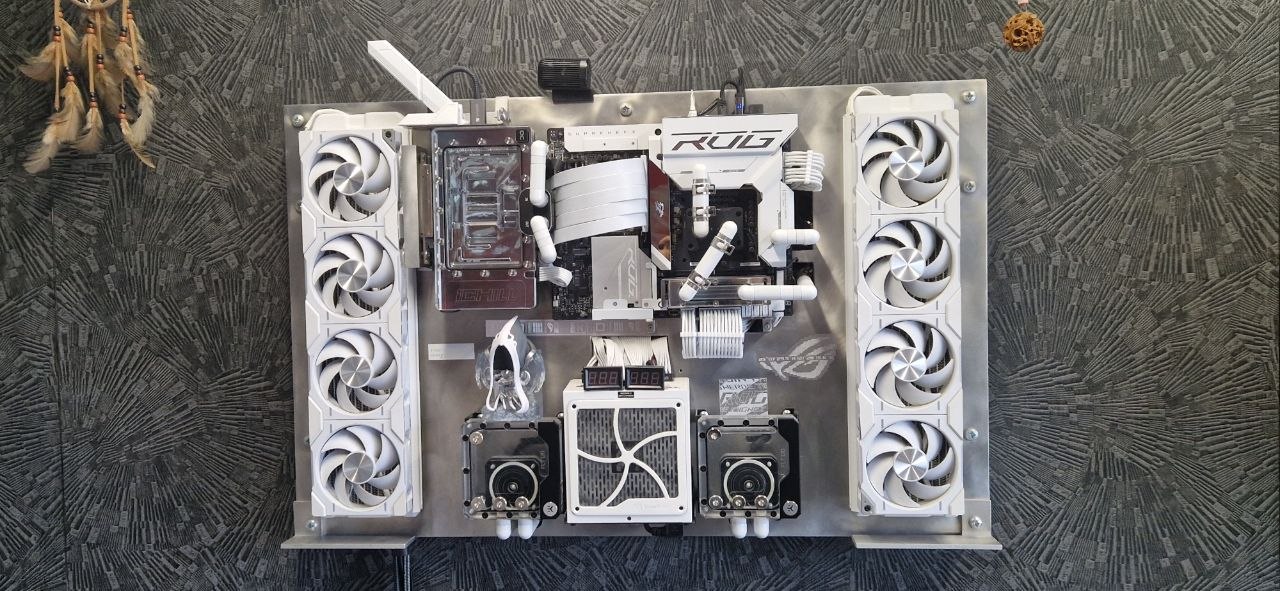
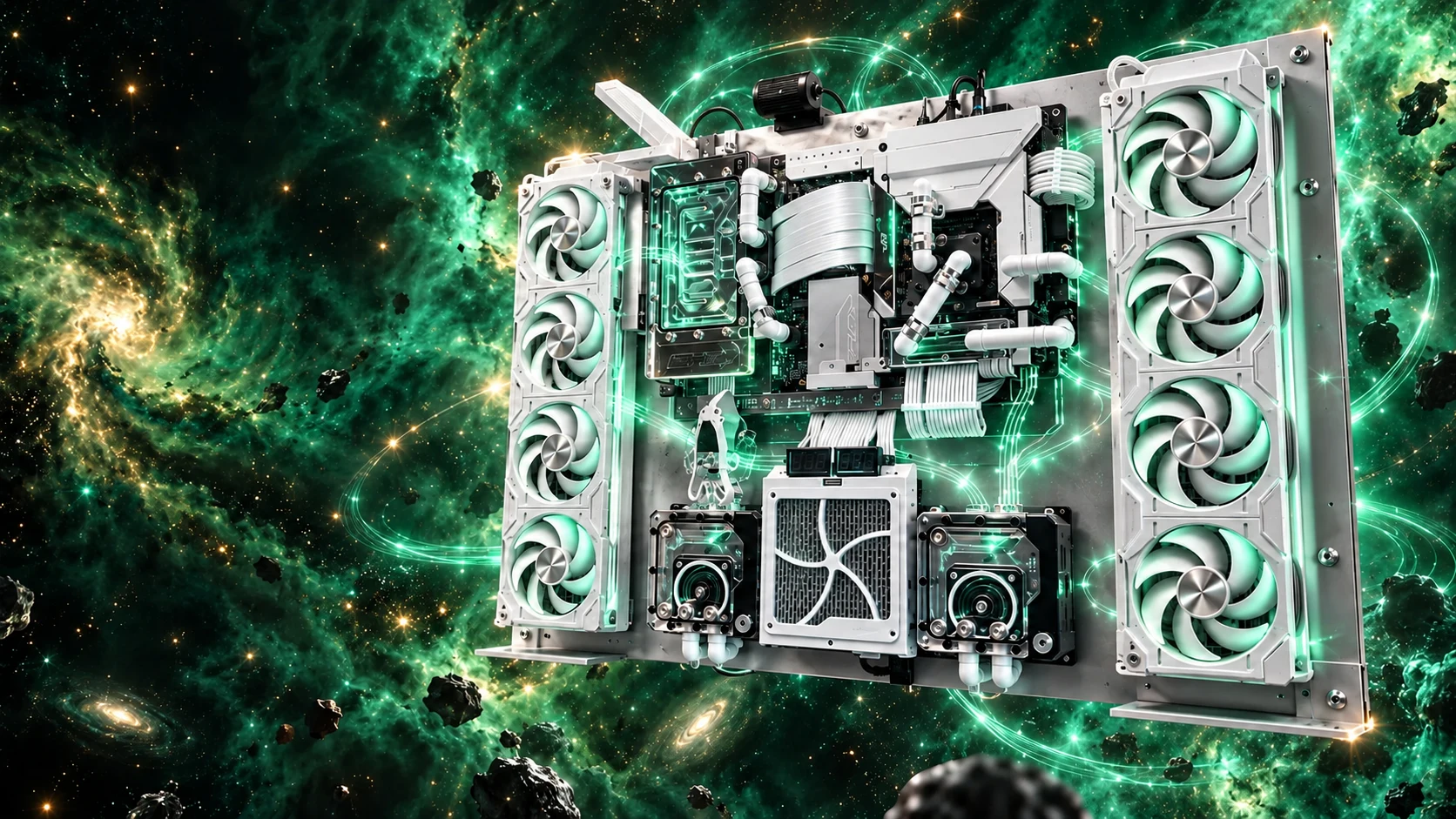
Jev’s white wall-mounted, liquid-cooled computer as cinematic artwork
The real wall-mounted computer, photographed on Jev’s wall
The real one, on my wall
My wall buildCustom liquid cooling, eight fans, built by hand. The guide teaches you the same skills, starting with an easy first PC.

Built for World of Warcraft

What WoW needs from a PC.

WoW is unusual: in crowded cities and big raids the processor, not the graphics card, sets your frame rate. The guide shows the build and the one change that matters most for WoW players.

CITIES & RAIDS

Feed the processor

PC Games Hardware called WoW: Midnight “an unexpected CPU eater” and picked an AMD X3D processor for 60 fps at 1440p. The guide shows the Ryzen 7 9800X3D swap for The $2,000 Build (about $270 more) and exactly why it helps.

WOW: FOREVER

Ready on day one

Blizzard’s only published requirements for Forever so far are a graphics card from roughly the last decade (Nvidia from 2014, AMD from 2012) and 128 GB of SSD space. This build is far beyond both, with 32 GB of memory and a fast SSD for quick loading. Measured Forever numbers from our own build come in a free update.

STREAM & MORE

Record your raids

The graphics card’s own video encoder records and streams while barely touching your frame rate. And when you’re not raiding, the same PC edits video, writes code and runs AI on your desk.

Playing Hardcore?

A death is final. Make sure it’s the game’s fault, not your PC’s.

On Hardcore realms Blizzard doesn’t revive characters lost to disconnects, lag spikes or bugs; only mass events like DDoS attacks are an exception. So everything on your side has to hold: no stutter in a pull, no crash mid-dungeon.

THE PC CAN FIX

Frame drops & stutter

A graphics card and processor chosen for the heaviest fights, with real numbers, and the one swap that helps most when the screen fills with effects.

THE PC CAN FIX

Crashes

Before your first run, Chapter 20 tests the whole PC: memory overnight with MemTest86, then 30–60 minutes of OCCT. Any crash is a fail, and the guide shows the fix.

THE PC CAN’T FIX

Server lag & disconnects

No PC fixes a game server or an internet outage. The guide sets you up on a network cable instead of Wi-Fi; the rest is on the game’s side.

Hardcore rules are Blizzard’s, and they can change: check the realm rules before you start.

Sources: Icy Veins: Blizzard Hardcore policy · Warcraft Tavern: same statement

Why build now

The AI boom is buying up the chips your PC needs.

AI data centers need enormous amounts of memory, and the big memory makers are shifting their factories toward AI and server chips. That leaves less for the memory, SSDs and graphics cards that go into PCs.

Memory$100–200 → $350+

A 32 GB DDR5 kit, October 2025 vs now. Contract prices are forecast up another 10–15% this quarter.

Graphics cards$570 → $805

The RTX 5060 Ti 16 GB’s median price, June to August 2026. Nvidia warned supply would be “very tight”.

SSDs2.3×

Their price a year ago. The storage-chip shortage isn’t expected to ease until the second half of 2027.

BrandsCrucial: gone

Micron closed its Crucial consumer brand in 2026 to sell its chips to AI customers instead.

Shop prices have held roughly flat since late summer, at that high level, and nobody can promise where they go next. The forecasts show no relief before 2027. The guide shows you how to buy well anyway: price alerts, the parts worth paying more for, and the swaps that save money.

Sources: Tom’s Hardware RAM index · TrendForce, 30 Sep 2026 · RTX 5060 Ti median price · Nvidia supply outlook · SSD outlook · SSD +129% · Crucial exit

More than one PC

Learn it once. Build it for life.

Almost every desktop PC is built to the same standards: the same kind of board, the same slots, the same plugs. Build this one with the guide and you’ve learned the whole job, not just one machine.

01

Build it again

Upgrades, the 2027 processors, a second machine: the steps are the same. Next time it’s a parts list and an afternoon.

02

Build for others

Help a friend, a partner or your kids choose parts that fit, buy them safely, and put them together. You’ll know which questions to ask before anyone spends a dollar.

03

Own the machine you work on

AI tools, video and games all lean on the same parts. Know what each one does and you’ll know what to upgrade when something feels slow, instead of buying a whole new computer.

Inside the guide

100 steps. Seven stages. Nothing skipped.

Every step is one action with a check at the end. The computer science sits in optional “Why it works” panels, there when you’re curious and out of the way when you’re not.

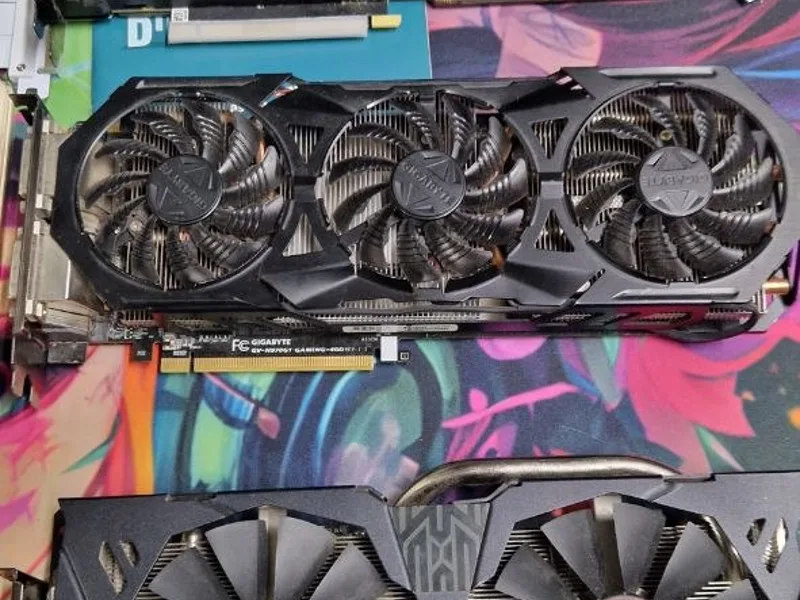
  1. Three graphics cards side by side, compared before choosing one
    01 Steps 1–10

    Plan

    Know exactly what you need before you spend a cent.

    • The 8 parts
    • Your budget
    • Build or buy?
  2. A delivery box of computer parts being checked by hand
    02 Steps 11–25

    Buy smart

    The right parts, from trusted stores, paid for safely.

    • Amazon
    • Best Buy
    • Micro Center
    • Newegg
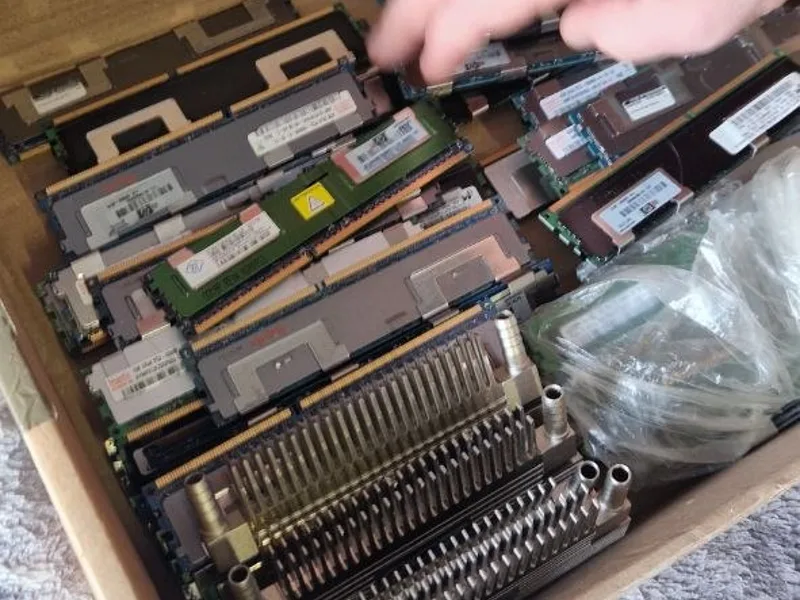
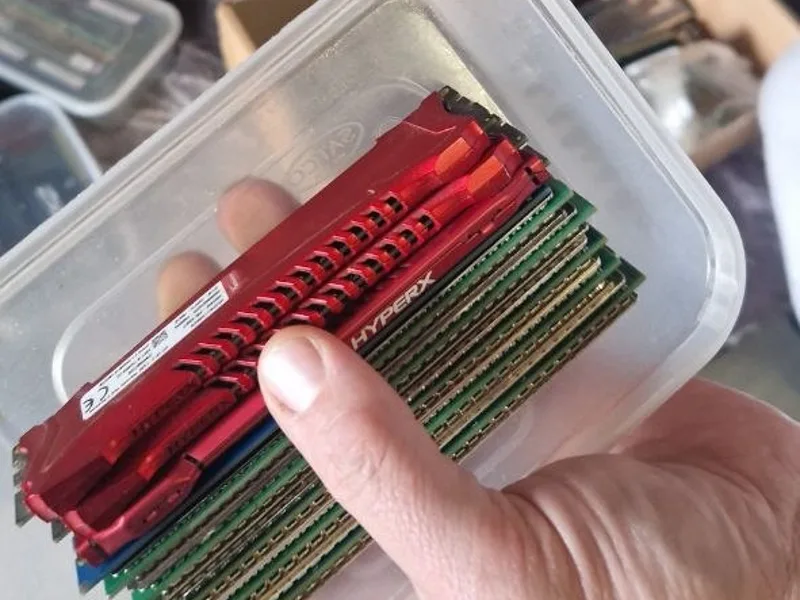
  3. Memory sticks lifted out of their box to check them
    03 Steps 26–32

    Unbox and prepare

    Check every box and get your desk ready.

    • Film the unboxing
    • Windows USB stick
    • Clear desk
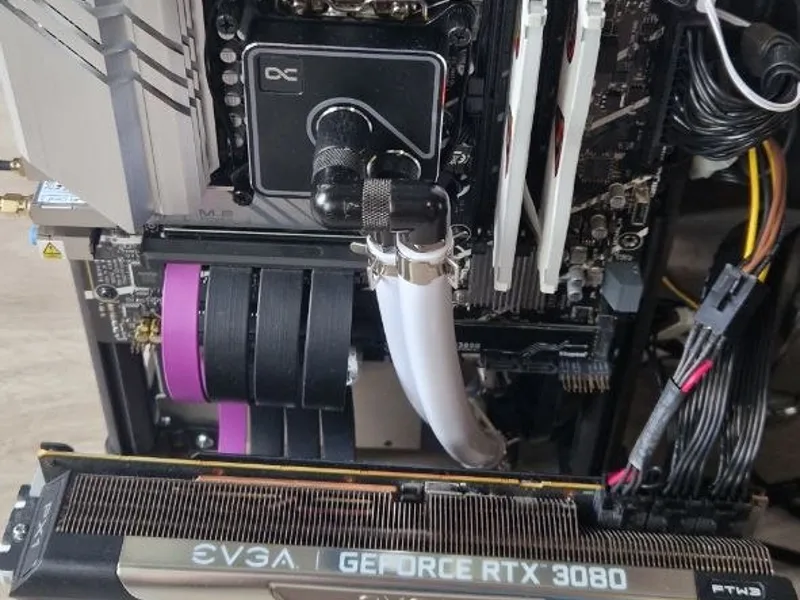
  4. A PC half built on an open frame, graphics card installed
    04 Steps 33–70

    Build

    Put it together, one part and one check at a time.

    • Processor
    • Memory
    • Graphics card
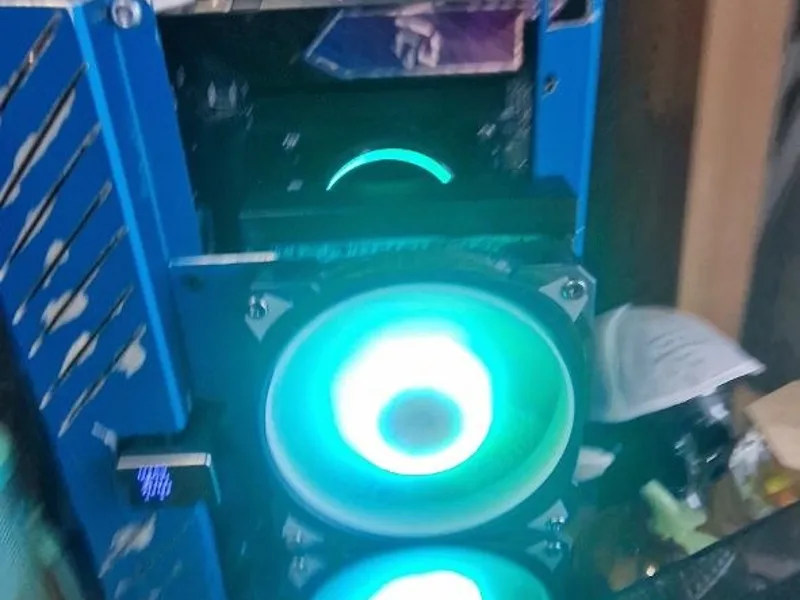
  5. Cooler fans glowing teal as the PC switches on
    05 Steps 71–78

    Power on

    The first start, and what every little light means.

    • First boot
    • Debug lights
    • BIOS
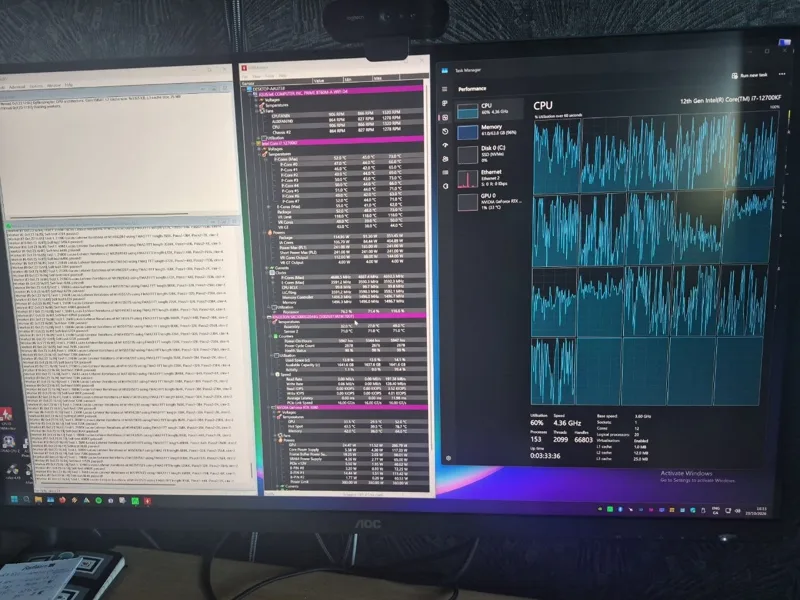
  6. A monitor showing processor load graphs during a stress test
    06 Steps 79–92

    Set up and test

    Windows, the right drivers, and proof it all works.

    • WindowsWindows 11
    • Drivers
    • Stress test
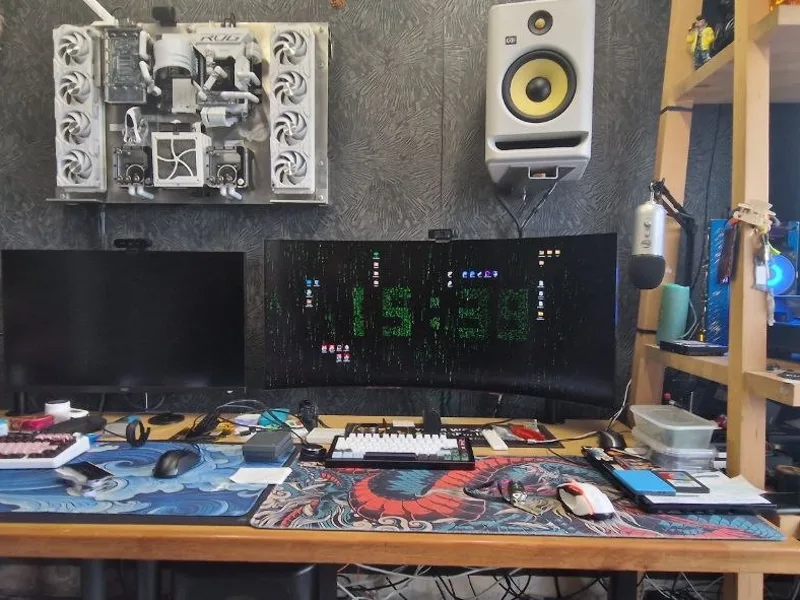
  7. A finished desk setup with monitors and the wall build above
    07 Steps 93–100

    Play and create

    Games at 144 Hz, video editing and AI on your own PC.

    • NVIDIA GeForce RTX
    • DaVinci ResolveResolve
  8. 100 steps.
    Then it’s yours.
    From a pile of boxes to your first game. Guide $37Guild $0 See the offers
Plus: the Creator build, troubleshooting for no power, no picture and crashes, a glossary, and every source we used.

The reference builds

The best PC $2,000 can build.

Each build is a complete shopping list: every part, why it was picked, where to order it, and what to swap if a price jumps.

Step up

Creator

~$4,600

Heavy 4K editing, color grading and high-end gaming. Built to last years.

  • CPUAMD Ryzen 9 9950X, 16 cores
  • GraphicsNvidia RTX 5080 16GB
  • Memory64 GB DDR5
  • Games4K and high-refresh 1440p
  • Editing4K+, effects, color
NVIDIA GeForce RTX

Why Nvidia?

Nvidia is the best in the business. About 9 in 10 graphics cards sold for PCs are Nvidia. DaVinci Resolve runs on Nvidia's CUDA, and its advanced AI tools want 16 GB of graphics memory: exactly what both of these cards have.

They keep getting better, and more expensive: the RTX 5060 Ti 16GB went from about $570 to $805 between June and August 2026, and analysts don't expect memory supply to ease before 2027.

So if you're building, get yours today.

Both builds use AMD's AM5 platform, which takes the 2027 CPUs with a BIOS update. Tighter budget? The guide shows exactly what to trim, and what never to trim.

Look inside

Every step tells you what "done" looks like.

Most build videos show an expert's hands moving fast. This guide slows down. One action per step, a check after each one, and a warning box wherever people usually go wrong.

  • Large, clear pages that print well
  • "If it worked, you'll see…" after every step
  • Warnings exactly where mistakes happen
  • Read on phone, tablet or computer, or print it and keep it by the build
Part 3 · Build itStep 69 of 100

The power button: case wire to PANEL1

On our board the front-panel header is PANEL1, in the bottom-right corner. Have the flashlight ready: the labels are tiny.

1
Find PANEL1 in the bottom-right corner. In the web edition, the animated board map lights it up for you.
2
Plug the case’s POWER SW wire onto the two PWR_SW pins. Either way round works.
3
Power LED wire: + side on the pin marked +. On this board it can also go on SPK_PLED1, right next to PANEL1.
Count the pins twiceThe most common front-panel mistake is a plug sitting one row off. If the first power-on stays dark (Chapter 18), this is the first thing to check.
Good to knowA reversed LED plug just doesn’t light. Nothing is damaged. Turn it round.

Stuck at step 47?

You’re never on your own.

Type your question into Ask the guide, the helper built into the web edition. It finds the exact step, warning or fix in the guide and takes you straight there.

Still stuck? Email the author with your step number and a photo, and we’ll help you get it running.

Ask the guideYour build helper. Answers come from the guide.
My PC won't turn on
Let's find it. Here's where the guide covers it: Chapter 18 · If it doesn't startThe “It won't start” helper asks what happens when you press the button, and which debug light stays on, then points to the fix. Chapter 17 · The power buttonThe case's POWER SW wire goes on the two PWR_SW pins of PANEL1.

Choose your path

Build the machine.
Then make it earn.

Great first step: the guide takes you from choosing parts to your first game.

Guide checkout opens soon. Join the launch list to lock the $37 price.

02 · Put it to work

Earn With
Your PC

My Skool community, the AI Leveling Guild: build AI-run YouTube channels with the agents, skills and workflows I use on my own channels, alongside gamers doing the same.

$0$97/yrFounders: free forever
First 50 members join free, forever

Join early, pay less, for life. Places go in the order members join. Every level gets the full Guild.

  1. FoundersLegendary · the first 50Open now
    $97/yr$0Free forever. This PC guide free, the Founders’ Vault, a vote on the next module, and your name on the Hall of Founders.
  2. VanguardEpic · members 51–100
    $97/yr$47/yrLocked for life. 50% off this PC guide, the Vanguard Vault, and your name on the Hall of Founders.
  3. AdventurersRare · member 101 on
    $97/yrThe full Guild: every lesson, the Hardware Lab, Party Finder and live sessions.
  • The exact agent skills and prompts I use in production
  • Automated video assembly (Remotion + DaVinci Resolve), thumbnails, titles and uploads
  • Monetization: YouTube, Spotify, affiliates and sponsors, with my real numbers
  • Hardware Lab: help with your PC from a veteran builder
  • A 1:1 setup call for beginners, and live sessions as the Guild grows
Claim a free Founder spot →

Members 51–100: $47 a year, locked for life. Then $97 a year. My results are not a promise of yours: what you earn depends on your work.

AI LEVELING GUILD · SKOOL

The earlier you join, the more you get.

Nobody is left out: every member gets the full Guild. Joining early costs less, for life, and adds loot.

BUILD
HELP
Our build-help promise. Stuck at any step? Email [email protected] with your step number and a photo, and we’ll help until your PC boots. Because the whole guide is yours the moment you buy, sales are final once it’s opened. We refund in full if you were charged twice, if the files won’t open and we can’t fix it, or if you bought by mistake and haven’t opened it.

Not ready yet?

Get the free compatibility checklist.

The seven checks to make before you buy a single part. One page. Print it, tick it off, and you'll avoid the most common first-build mistakes.

Free. Enter your email at the checkout and the PDF arrives straight away. We’ll also email you on launch day. We only email you about this guide, and every email has an unsubscribe link.

Before you buy: 7 checks

0/7

Try it: tap each check to clear it.

Questions

Before you order

I've never opened a computer. Is this really for me?

Yes. The guide assumes you know nothing about the parts and explains each one before you buy it. If you can follow a recipe and use a screwdriver, you can build a PC.

Is this a physical book?

No. You get the interactive web edition (videos, maps, progress ticks and the Ask the guide helper) and the PDF straight after checkout. Read it on your phone, tablet or computer next to the build, or print the pages you want.

Won't the prices be out of date?

Part prices change weekly, so every build list is dated and every part comes with an alternative. The method (what to look for, how to check it fits, how to build) doesn't go out of date. When the 2027 processors launch, buyers get the updated edition free.

Should I wait for the 2027 chips?

You don't have to. Every build in the guide uses AMD's AM5 platform, which AMD's next desktop chips are reported to use too, so you can drop a 2027 CPU into the same motherboard later. When the new chips launch, buyers get an updated edition.

Can I use it to build PCs for friends and family?

Yes, that's the point. The steps work for almost any desktop built to the same standards, and the guide shows you how to choose parts for a different budget or use. Please don't share your copy of the guide itself: send them here instead.

What is Ask the guide?

A helper built into the web edition. Type what you're stuck on, in your own words, and it finds the step, warning or fix in the guide that covers it and takes you there. If the guide doesn't cover it, it tells you so and gives you the author's email.

Isn't a prebuilt PC cheaper right now?

Sometimes, yes. Big PC makers bought memory before prices jumped, and the guide says so. It shows you how to compare a prebuilt against your build, and when building still wins: better parts, room to upgrade, and parts you can reuse.

Will it really run my games at 144 Hz?

Yes, and you’ll feel it the moment you sit down. Coming from an old 60 Hz screen, everything just feels smoother: the mouse cursor glides instead of stepping, camera turns are fluid, and fast fights are easier to follow. We think 144 Hz, or better 165 Hz, is the minimum for enjoying games in 2027, and this build is made for it. The numbers: light and competitive games run past 144 fps as they are. Big single-player games at their highest settings measured about 60–120 fps on this build’s graphics card at 1440p in reviewers’ tests (the very heaviest new releases lower), and DLSS upscaling with frame generation takes most of them past 144. The guide shows every measured number we found, labels the estimates, and walks you through the settings.

Can this PC make me money?

It can be the tool, not the income. Part 5 shows what a strong PC does beyond games (code, AI on your own desk, video), the real ways creators earn, and the rules YouTube enforces, such as no ad money for mass-produced AI videos. Most channels and side projects never earn much, so we make no income promises.

Is building a PC safe?

Yes, if you follow the steps. The guide covers static safety and switching off at the wall, and it repeats one rule often: never open the power supply itself. If a part seems damaged, the guide tells you to stop and return it rather than repair it.

Will building it myself void any warranties?

No. Each part keeps its own manufacturer warranty when you install it as the manual describes. The guide shows you how to register parts and keep receipts.

Do you earn money from the shops you recommend?

Not from the shops in the guide: those links are plain links, and we earn nothing from them. On this page we also show two partner offers for WoW players, RestedXP and a Warcraft book on Amazon. Those are affiliate links, labelled as such: we earn a commission if you buy, at no extra cost to you. As an Amazon Associate I earn from qualifying purchases.

Can I get a refund?

The whole guide is yours the moment you buy, so sales are final once it's opened. Instead, we promise help: email [email protected] with your step number and a photo, and we'll help until your PC boots. We refund in full if you were charged twice, if the files won't open and we can't fix it, or if you bought by mistake and haven't opened it.